Vintage Story Server Hosting

DDoS Protected. Instant Setup. Powerful Hardware. Mod Support.


We're rated 4.6 out of 5 stars on TrustPilot!

Vintage Story Game Servers

2GB RAM

£4.40   /MO
ex. VAT
  • 2-3 Players

4GB RAM

£9.15   /MO
ex. VAT
  • 5-8 Players

6GB RAM

£13.65   /MO
ex. VAT
  • 9-14 Players

Custom

FROM

£2.20  

/GB /MO
ex. VAT
  • 15+ Players

What is Vintage Story?


Vintage Story Trailer

Check out the Vintage Story trailer below for a look at the game's atmosphere, survival systems, and distinctive world.


Vintage Story Hosting Features

  • Modern, easy to use control panel
  • Full SFTP file access
  • Backup & Restore functionality
  • Easy to use Configuration Editor
  • Automatic Updates
  • DDoS Protection
  • 4.2 Ghz+ processor with NVME SSD storage
  • Modern Intel/AMD hardware
  • Mod Support
DDoS Protection

DDoS Protection

All our hosting comes with automated protection from attackers, so that your servers are never effected.

Instant setup

Instant setup

The very second we receive payment for your order your services are up and ready for you to start using them!

Mod Support

Mod Support

You can enable mods on all of our game servers, just follow one of our easy guides and they're good to go!

Fast servers

Fast servers

We use only the best hardware for our game hosting, utilizing powerful processors, gigabit uplinks and SSD storage.

Awesome Support

Awesome Support

Fast and friendly support team, here anytime you need help from us. Contact support.

TCAdmin Control Panel

TCAdmin Control Panel

Our game servers are powered by TCAdmin which gives you a fast and easy to use experience!

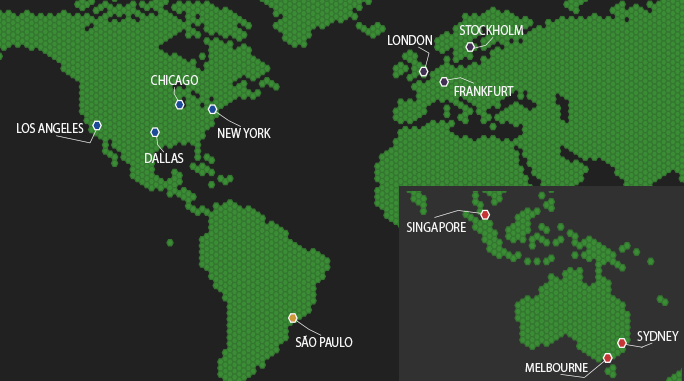
Our Server Locations

Choose a server location that is closest to your target audience for optimal performance.
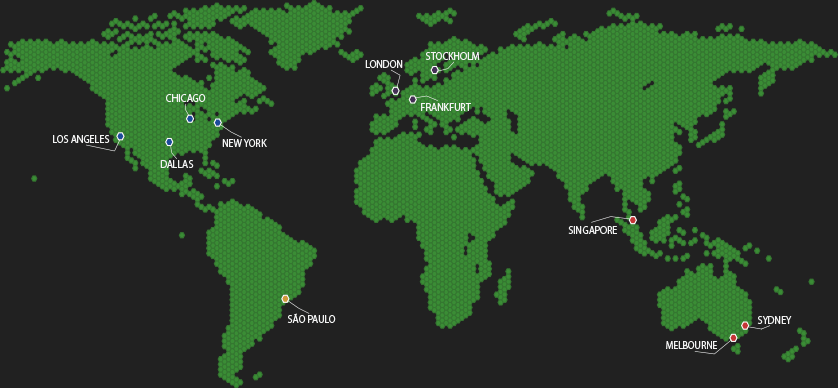

Our Server LocationsOur Server LocationsOur Server Locations

Vintage Story Hosting FAQ

Quick answers on joining, whitelists, saves, mods, settings, backups, and RAM planning for Vintage Story servers.


Start Vintage Story, open the multiplayer browser or direct connect menu, then join using the server address from your control panel. If the server uses a password or whitelist, make sure you have the right details first.
Vintage Story dedicated servers commonly run with whitelist mode enabled by default on newer versions. You can keep the server private with a whitelist, add players individually, or change the whitelist setting and access rules in the server config depending on how open you want the world to be.
Yes. You can upload your existing world save through SFTP or the file manager and continue playing on a dedicated server instead of starting over. We recommend taking a backup before replacing any world files.
Yes. Upload mods to the server's Mods folder, then restart the server. For many modded servers, connecting players will also need the required matching mods on their client, especially if the server depends on them for world content or gameplay systems.
By default, Vintage Story servers are often configured to pause when nobody is logged in. That behaviour can be changed in the server configuration if you want the world to keep simulating while the server stays online.
Edit the Vintage Story server config files through the control panel or SFTP, then restart the server so the changes apply. That gives you control over world generation, whitelist behaviour, rule sets, and other gameplay options.
Take a backup before updates, mod changes, or major world edits. If something goes wrong, restore the backup and restart the server so you can roll back the world, player progress, and config files together.
A practical baseline is roughly 1 GB for the server itself plus around 300 MB per player, then extra headroom for bigger worlds and mods. That is why small groups are fine on lower RAM plans, while larger or modded servers should move up to 4 GB, 6 GB, or more.