DDoS Protection
All our hosting comes with automated protection from attackers, so that your servers are never effected.


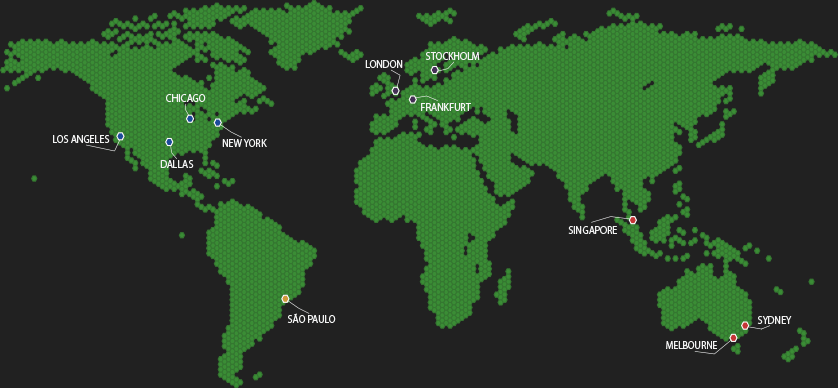
Smalland beckons players to a world of wonder and adventure, and with our high-speed, low-latency game server hosting, this experience is elevated to new heights. Our hosting solution is meticulously designed for seamless gameplay, ensuring that every moment in the Land of the Small is immersive and uninterrupted. With servers strategically located worldwide, we cater to both casual and dedicated players, guaranteeing lag-free adventures regardless of your location.
In this game, you'll explore vast landscapes, from dense forests to mysterious ruins, uncovering hidden stories and lore. The thrill of the game is enhanced by our ability to tame and ride a variety of creatures, making every exploration a unique experience. Multiplayer support for up to 10 players allows you and your friends to build, fight, and survive together, creating a shared and memorable journey.
For those who love to craft and build, our game offers a rich and detailed environment. Construct your own encampments, craft custom armour sets, and adapt to the challenges of a world where survival is key. Our dedicated support team is always on hand to assist you, ensuring that your adventures in Smalland are as smooth as they are exciting.
Jump into this captivating world of small, where your victories are earned in a landscape filled with challenges and surprises, all supported by our robust and reliable Smalland server hosting.
Be sure to follow us over on our Twitter or Facebook page for Smalland server hosting updates!

All our hosting comes with automated protection from attackers, so that your servers are never effected.

The very second we receive payment for your order your services are up and ready for you to start using them!

You can enable mods on all of our game servers, just follow one of our easy guides and they're good to go!

We use only the best hardware for our game hosting, utilizing powerful processors, gigabit uplinks and SSD storage.

Fast and friendly support team, here anytime you need help from us. Contact support.

Our game servers are powered by TCAdmin which gives you a fast and easy to use experience!
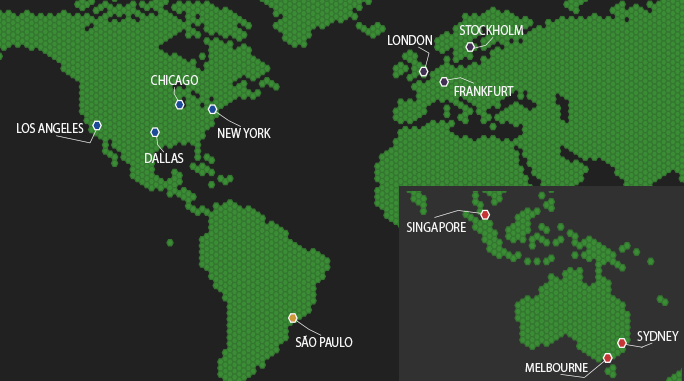
Choose a server location that is closest to your target audience for optimal performance.
Answers for Smalland servers covering joining, save uploads, updates, backups and restores.