Eco Global Survival Server Hosting


Eco Game Servers

10 Slots

110.22 kr  /MO
ex. VAT
  • 10 Slots

30 Slots

291.51 kr  /MO
ex. VAT
  • 30 Slots

60 Slots

602.61 kr  /MO
ex. VAT
  • 60 Slots

Custom

FROM

10.55 kr 

/Slot /MO
ex. VAT
  • 10 - 60 Slots

What is Eco Global Survival?


Enter the world of Eco, a fully simulated ecosystem bursting with thousands of growing plants and animals just living their lives. You can build, harvest and take resources from an environment where every single action you take affects the world around you. An imminent meteor strike threatens global destruction, can you save the world while not destroying it in the process?


You can construct buildings, create towns, tend to a farm, hunt the wildlife, build infrastructure/transportation, craft clothing, build power plants and even research new technologies to gain new advancements.

You'll need to analysis data from the simulation, and evaluate the impact you have on the world. Use this data to propose laws that can restrict harmful activities while not disrupting your technological advancements. Balance your individual needs with the needs of the community, while maintaining the state of the ecosystem of the world.

Get your very own dedicated server and gain full control over every aspect, create backups that can let you rollback if something goes wrong (or live with your mistake and try to fix it!), fine tune the settings to give you the perfect start and even play with friends!


Develop your civilization and sculpt your planet!


  • TCAdmin control panel
  • Full FTP file access
  • Backup & Restore functionality
  • Easy to use Configuration Editor
  • Custom command lines
  • Easy one-click updater
  • 4 Ghz+ processor with NVME SSD storage
DDoS Protection

DDoS Protection

All our hosting comes with automated protection from attackers, so that your servers are never effected.

Instant setup

Instant setup

The very second we receive payment for your order your services are up and ready for you to start using them!

Mod Support

Mod Support

You can enable mods on all of our game servers, just follow one of our easy guides and they're good to go!

Fast servers

Fast servers

We use only the best hardware for our game hosting, utilizing powerful processors, gigabit uplinks and SSD storage.

Awesome Support

Awesome Support

Fast and friendly support team, here anytime you need help from us. Contact support.

TCAdmin Control Panel

TCAdmin Control Panel

Our game servers are powered by TCAdmin which gives you a fast and easy to use experience!

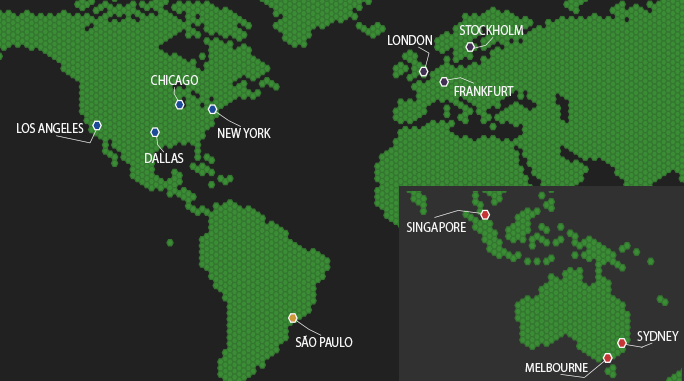
Our Server Locations

Choose a server location that is closest to your target audience for optimal performance.
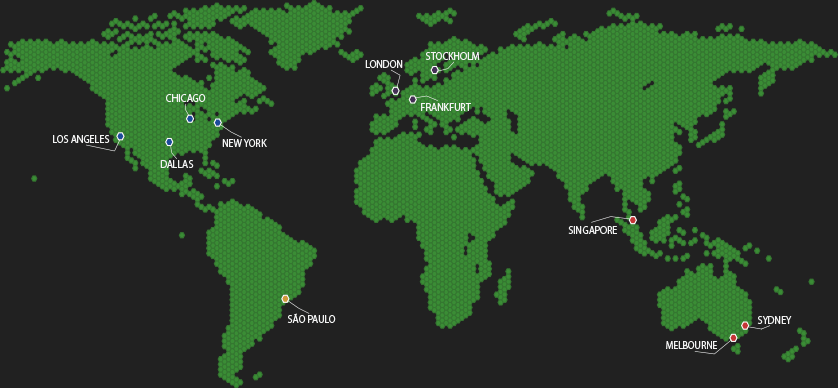

Our Server LocationsOur Server LocationsOur Server Locations

Eco Hosting FAQ

Useful answers for Eco servers covering world setup, saves, performance, plugins and day to day management.


Eco works great for both. Small groups tend to focus on progression and co-op building, while bigger servers lean into player economy, laws and specialisation. Start small and scale slots up when the town grows.
Eco is built around a persistent world and long-running progression, so most communities keep it online. If you only play occasionally you can still stop and start, but day length and progression feel better when it is always running.
Use File Manager or FTP to manage your Eco files, configs and any server-side additions. For more information check our Knowledgebase article: How to connect to FTP.
Usually yes, as long as you have the full world save folder and the server is set to load it. Upload via FTP or File Manager, then restart the service.
Big cities, lots of machines, heavy vehicle use, and huge stockpiles of items can all add load. If performance dips, restart occasionally and keep an eye on anything that is constantly running or spamming storage.
Eco commonly uses server-side plugins depending on what your community wants. Upload and manage them via FTP/File Manager and keep backups before changes. For more information check our Knowledgebase article: How to connect to FTP.
Take regular backups before updates and major rule changes, and keep a couple of older snapshots so you can roll back if something breaks. You can also download saves locally for extra safety.
Open a ticket and we will help you locate the right config files, confirm your save paths, and get the server booting cleanly. For panel basics, see: Accessing Control Panel.