Buy ARK game server rental

Parasaur

$17.11   /MO
ex. VAT
  • 15 Slots

Compy

$31.95   /MO
ex. VAT
  • 30 Slots

Carno

$54.60   /MO
ex. VAT
  • 60 Slots

Custom

FROM

$0.80  

/Slot /MO
ex. VAT
  • 15 - 60 Slots


What is ARK Survival Evolved?

ARK Survival Evolved is a game that's about dinosaurs and is a hugely popular game from Studio Wildcard that has many players across the globe. We have tailored our servers to ensure that our ARK servers run perfectly, with lots of helpful features such as our custom-built workshop installer for mods and maps, on demand backups, custom command lines. Of course, you get full access to all of your server files on our file manager and over FTP. We also have a plentiful knowledgebase to help you get your server started.

In ARK you are dropped onto a primal island and have to fight to survive in the world of dinosaurs, you must hunt for food, harvest resources to craft items and create shelter. You will research and learn new technologies to advance forward in the game and much more. You can find out more on the ARK official website.

All our ARK servers have full support for the Official DLC and Maps released, including the highly anticipated ARK Genesis Part 2 DLC!! You can also install any mod or map from the Steam Workshop too using our advanced custom-built mod installer and updater.

Whether you play PvE, PvP, or roleplay, ARK is all about building up from nothing: tame dinosaurs and other creatures, breed strong lines, build bases from thatch to metal, and explore dangerous caves and bosses for powerful engrams and loot. Servers can be tuned for casual co-op or hardcore tribe warfare, and the game’s huge modding scene lets you add new creatures, items, systems, and quality-of-life improvements.


For more information checkout the ARK Steam Page.


Looking for ARK Survival of the Fittest game servers? Just head over here: Survival of the Fittest.


ARK Clusters with Cross-Server Travel

Why limit yourself to only one map on a server? Our control panel lets you have up to five different saves on a single server, allowing you to easily switch between them anytime at the click of a button without any progress loss! You can even move items between the maps by setting them up to use the same cluster ID.

Cluster servers with cross-server travel using the ARK gateway system are easy to setup and use on our services, all you need to do is configure the command line on each of the servers, and everything is automatically set up! Our systems will handle the rest and link the servers.

You can choose to either run two or more servers in a multiserver cluster or run multiple maps on a single server and use the ARK obelisks to transfer items between them. This gives you the flexibility to switch between servers anytime you want, each server can have a completely different map, configurations, and even different mods loaded!


ARK Survival Ascended (ASA) Server Support

We are not currently able to offer a direct game server service for ARK Survival Ascended server hosting, but you can run ASA servers with us on one of our VPS or Dedicated Server services. Contact support if you need help getting set up with ASA on a VPS or dedi.


ARK Hosting Features

  • TCAdmin control panel
  • Full FTP file access
  • Epic Store and Steam cross-play
  • Steam Workshop mod support
  • Advanced Steam Workshop mod installer and updater with intelligent update checking
    Update your servers mods in less than a minute!
  • Scheduled Tasks
  • Easy to use configuration editors
  • Support for all Official DLC and Maps
    • Aquatica
    • Fjordur
    • Lost Island
    • Crystal Isles
    • Extinction
    • Aberration
    • ScorchedEarth
    • Genesis
    • Genesis 2
    • Primitive+
    • Valguero
    • Ragnarok
    • TheCenter
    • TheIsland
    • Procedurally Generated ARK (PGARK)
  • Multiple maps on a single server, and switch between them anytime!
  • ARK Cluster cross-server travel support
  • Manual & Automatic backups
  • Custom command lines
  • 4 Ghz+ processor with NVME SSD storage

ALL Official DLC/Maps Supported!

You can also install any Steam Workshop mods/maps you want using our control panel!

Aquatica

ARK Aquatica Game Server Hosting

Fjordur

ARK Fjordur Game Server Hosting

Lost Island

ARK Lost Island Game Server Hosting

Genesis 2

ARK Genesis Part Two Game Server Hosting

Genesis

ARK Genesis Game Server Hosting

Extinction

ARK Aberration Game Server Hosting

Aberration

ARK Aberration Game Server Hosting

Scorched Earth

ARK ScorchedEarth Game Server Hosting

Crystal Isles

ARK Crystal Isles Game Server Hosting

Valguero

ARK Ragnarok Game Server Hosting

Ragnarok

ARK Ragnarok Game Server Hosting

TheCenter

ARK TheCenter Game Server Hosting

TheIsland

ARK TheIsland Game Server Hosting

Primitive+

ARK Primitive+ Game Server Hosting

Procedurally Generated ARK (PGARK)

ARK Procedurally Generated Game Server Hosting

Steam Workshop Mods/Maps

ARK Game Server Hosting with mod installer and updater
DDoS Protection

DDoS Protection

Our game servers come with protection from DDoS attacks, so that your service is never affected.

Instant setup

Instant setup

Once we receive payment for your order, your game service is instantly created and installed onto our servers!

Mod Support

Mod Support

Our control panel has a built-in automated Steam Workshop mod installer and updater.

Fast servers

Fast servers

Our servers use the best hardware available, with ECC memory, powerful processors and SSD storage.

TCAdmin Control Panel

TCAdmin Control Panel

Our ARK game servers are powered by TCAdmin which gives you a fast and easy to use experience!

Awesome Support

Awesome Support

Fast and friendly support team, here anytime you need help from us. Submit a ticket.

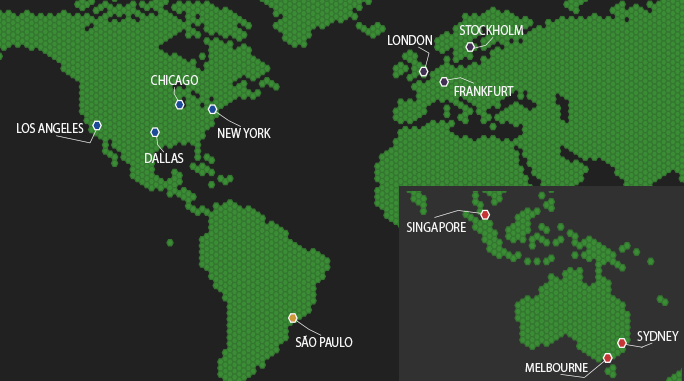
Our Server Locations

Choose a server location that is closest to your target audience for optimal performance.
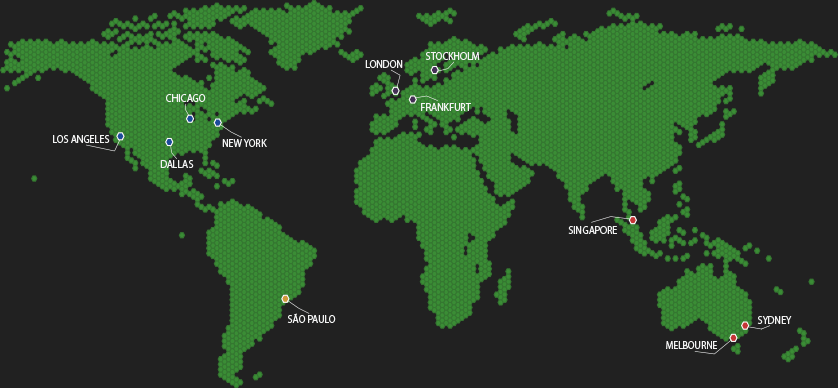

Our Server LocationsOur Server LocationsOur Server Locations

ARK Server Hosting FAQ

Useful answers about our ARK Survival Evolved server hosting service, covering mods, maps, clusters, and more.


Most ARK servers run well with 8-12GB of RAM for small groups, with more required for large tribes or heavily modded setups. Our ARK Server Hosting gives you 14GB of RAM by default, giving you extra headroom for mods and larger player counts.
ARK is heavily single-threaded, so high clock speed (4GHz+) is more important than core count. Large bases and busy PvP benefit most from high-frequency CPUs.
Yes. Use the built-in Workshop mod installer/updater in the control panel to install mods, keep them updated and easily manage them.
Yes. Set the same cluster ID on each server and they will link for cross-server travel and item transfers. For a cluster to work your servers will have to be on the same node please contact support for them to be moved if needed. You can run multiple maps on a single server (one at a time) or use multiple servers in a cluster.
Yes. You can keep multiple save slots and switch between maps without deleting your world, just set a different save folder on each command line. Always take a backup before major changes.
Yes. we support both Steam and Epic Store clients with cross-play support between them. Unfortunately, we do not currently support console or Microsoft Store versions of ARK Survival Evolved.
We do not currently offer a direct game server service for ARK Survival Ascended, but you can run ASA servers with us on one of our VPS or Dedicated Server services. Contact support if you need help getting set up with ASA on a VPS or dedi.
Yes. All official DLC and maps are supported including Aberration, Extinction, Genesis 1 & 2, Lost Island, Crystal Isles and more!
All our ARK servers come with DDoS protection enabled by default, no setup is required on your part to benefit from it.
Yes! If you have a custom map you would like installed on your ARK server, you can install the mod then update your command line to run it. If you need help, we're available with quick replies 24/7, just submit a support ticket and we'll be happy to assist you.
You can create manual backups anytime from the control panel, or set up scheduled automatic backups to run at regular intervals. By default we set a backup task to run every 24 hours for you.